
 how-to
Productive Screen Time for Kids: A 2026 Parent Guide
Table of Contents
- What Counts as Productive Screen Time for Kids?
- Active vs Passive Screen Time Examples Every Parent Should Know
- Screen Time Guidelines for Elementary Students That Actually Work
- Educational Screen Time Activities That Build Real Skills
- Tech-Free Zones: A Practical Implementation Guide
- Screen Time for Neurodivergent Children
- How to Evaluate App Quality Before You Download
- Conclusion
- Frequently Asked Questions
Last Updated: October 2, 2026
What Counts as Productive Screen Time for Kids?
Productive screen time is any on-screen activity that asks a child to think, build, or solve something rather than simply watch. It has a goal, a bit of effort, and a visible result. At CodeAlgo Academy, we define it as screen use that grows a skill while the child is engaged.
Here is the core difference:
- Active use: the child taps, types, chooses, and fixes mistakes
- Passive use: the child watches and absorbs with no input
- Mixed use: a video lesson followed by a hands-on task
Active vs Passive Screen Time Examples Every Parent Should Know
The clearest way to sort screen time is by what the child actually does. Active use leaves a trace: a finished project, a score, a solved puzzle. Passive use leaves only a watch history.
Here are common examples side by side.
| Activity | Type | What the child does |
|---|---|---|
| Coding a simple game | Active | Plans steps, tests, fixes bugs |
| Watching a cartoon | Passive | Watches, no input |
| Math puzzle app | Active | Solves, retries, improves |
| Autoplay video feed | Passive | Scrolls, watches, repeats |
| Drawing on a tablet | Active | Creates, chooses colors |
| Background music videos | Passive | Listens with no goal |
Signs Your Child Is Passive Consuming
Watch for these signals during screen time:
- They never touch the screen except to keep the video going
- They cannot explain what they just watched
- They get restless when the screen turns off
- They ask for "one more" without naming what they are doing
- The same content loops for long stretches
None of these mean screens are bad. They mean the current activity is not doing much work.
Screen Time Guidelines for Elementary Students That Actually Work
Most families do not need a strict minute count. They need a plan that separates active from passive use. A common approach is to allow more active time and cap passive time. But to make that work, you need concrete anchors. Here is what leading health organizations and child development experts generally recommend for elementary-age children (roughly ages 6-12):
- Passive entertainment screen time: Aim for no more than 1-2 hours per day of passive consumption (watching videos, scrolling feeds, playing non-educational games). The American Academy of Pediatrics (AAP) suggests consistent limits for this type of screen use.
- Active, skill-building screen time: This can be more generous because it engages the child in thinking, creating, or problem-solving. Many families allow 1-2 hours of active screen time on top of passive limits, especially when it is tied to learning goals.
- Screens off during meals and the hour before bed: Sleep hygiene matters. Bright screens close to bedtime make it harder for kids to wind down, which then shows up in mood and focus the next day.
How to Build a Family Media Plan
A family media plan is a written agreement that sets where, when, and what screens are for. It works because everyone agrees to it before the argument starts. The AAP offers a free, customizable Family Media Plan tool that walks you through the key decisions. You can build your own in four steps:
- List every screen your child uses and what it is for. Include tablets, phones, TVs, and school-issued devices. Note whether each use is active or passive.
- Agree on tech-free zones and times. Start with the dinner table, bedrooms at night, and the car on short trips. These are the highest-impact zones for most families.
- Set separate limits for active and passive use. For example: passive entertainment capped at 1 hour on weekdays, active learning time up to 2 hours, and no screens during meals or the hour before bed.
- Review it together every month and adjust. Kids grow, schedules change, and what worked in September may not work in January. A monthly check-in keeps the plan alive.
Educational Screen Time Activities That Build Real Skills
The best educational screen time activities share one trait: the child produces something. They build, solve, write, or design. Passive consumption does none of this. But not all "educational" apps are created equal. To make screen time truly productive, you need to know what to look for, and what to avoid.
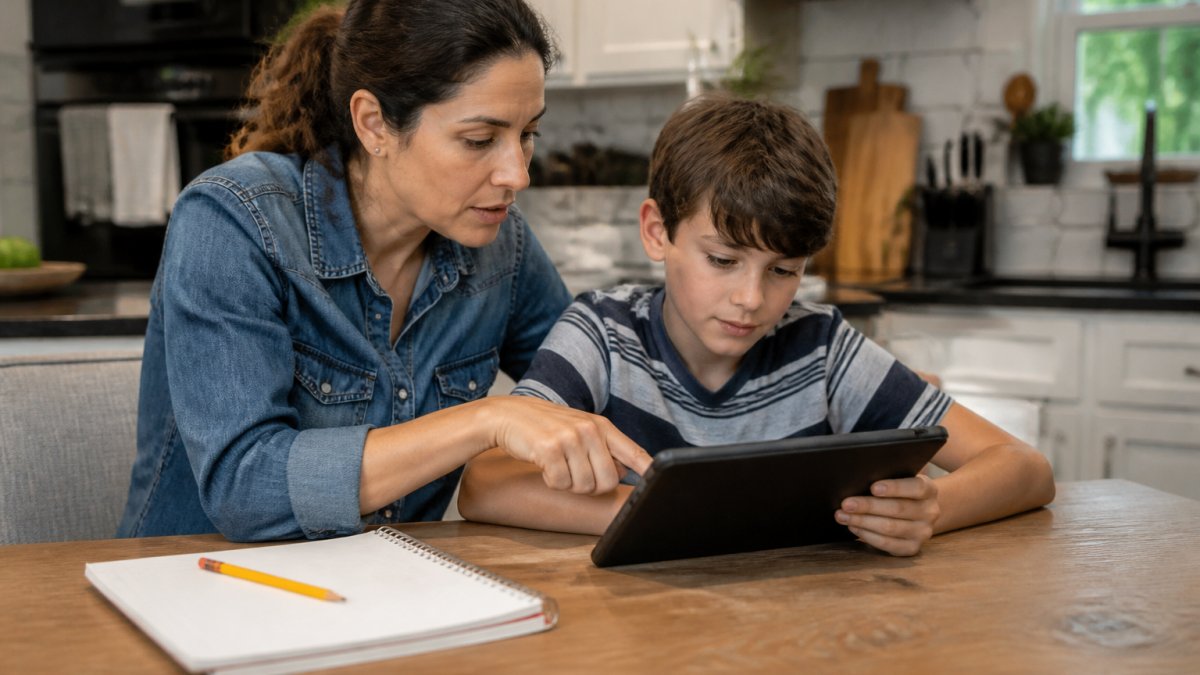
Strong options include:
- Block-based coding platforms like Scratch (free, from MIT) or Code.org, where kids snap logic blocks together to create games and animations. These build computational thinking and persistence.
- Math games that adapt to the child's level, such as Prodigy Math or Khan Academy Kids, which adjust difficulty based on answers and provide immediate feedback.
- Puzzle apps that reward problem-solving over speed, like Monument Valley or Lightbot, where the goal is to figure out a sequence, not to beat a timer.
- Creative tools for drawing, music, or storytelling, such as Toca Boca apps or GarageBand, which let kids compose, design, and iterate.
- Co-viewing a science video, then talking it through, for example, watching a NASA or Nat Geo Kids clip and then asking your child to explain what happened and why.
How to Vet an Educational App Before You Download
- Does the app ask the child to do something, or just watch? If the child only taps to advance, it is passive.
- Is there a clear skill being built? Look for math, logic, coding, reading, or creativity, not just "fun."
- Can the child see progress over time? A portfolio, level map, or skill tracker shows growth.
- Are lessons adaptive? The app should adjust to your child's answers, not serve the same content to everyone.
- Does it work without constant ads or pop-ups? Interruptions break focus and often push in-app purchases.
- Is there a teacher or parent view? This lets you track what your child is actually doing.
- Does it respect your child's age and reading level? Content should be challenging but not frustrating.
This is where a platform like CodeAlgo Academy fits. Its game-based lessons for grades K-8 turn coding and math into puzzles students solve step by step, so the screen time is doing real work. Teachers need no coding background to run it, and it works on web, iOS, and Android. The team has logged 41,928+ coding problems solved across 10 states.
Tech-Free Zones: A Practical Implementation Guide
Tech-free zones are specific places and times where screens stay off for everyone. They work best when they are few, clear, and enforced without exceptions.
Start with these three:
- The dinner table
- Bedrooms at night
- The car on short trips
Screen Time for Neurodivergent Children
Standard screen time rules often need adjusting for neurodivergent kids. For some children, screens are a genuine tool for focus and calm. For others, they trigger overstimulation or make transitions hard.
What helps:
- Shorter sessions with a visible timer
- Warning before screen time ends, not a sudden cutoff
- The same routine every day, so the child can predict it
- Content that matches a strong interest, since that drives engagement
- Movement breaks between sessions
How to Evaluate App Quality Before You Download
Most parents download first and check later. Flip that order. A few minutes of review saves hours of wasted screen time.
Run this checklist before any download:
- Does the app ask the child to do something, or just watch?
- Is there a clear skill being built, like math or logic?
- Can the child see progress over time?
- Are lessons adaptive, or the same for everyone?
- Does it work without constant ads or pop-ups?
- Is there a teacher or parent view to track growth?
- Does it respect your child's age and reading level?
Conclusion
The hard part is not finding screen time to cut. It is finding screen time worth keeping. Most families get stuck because they treat every minute the same, so they cut the good along with the bad.
Frequently Asked Questions
What is the 3-6-9-12 rule for screen time?
The 3-6-9-12 rule is a French parenting guideline that suggests no screens before age 3, no personal screens from ages 3 to 6, no internet-connected devices from 6 to 9, and supervised internet use from 9 to 12. It is stricter than most pediatric guidance and treats screens as a developmental tool rather than an automatic risk. Many families adapt it by focusing on the underlying principle: match device access to a child's maturity and need for supervision.
How much screen time is considered productive for K-8 students?
There is no single number, but a useful benchmark is that productive screen time should involve active thinking, problem-solving, or creating something new. For K-8 students, 30 to 60 minutes of focused, interactive learning per day is a common target in many family media plans. Passive viewing, like scrolling short videos or watching autoplay content, does not count toward that total because it does not require the child to respond or make decisions.
How can parents distinguish between passive and active screen time?
Active screen time requires the child to make choices, solve problems, or create something. Examples include coding a simple game, answering math challenges, or drawing in a digital art app. Passive screen time involves receiving content without responding, such as watching autoplay videos or scrolling a feed. A quick test: after 20 minutes, can your child describe what they made or figured out? If not, the session was likely passive.
What types of apps or platforms actually build problem-solving skills?
Platforms that build problem-solving skills usually give children a goal, a set of tools, and room to fail and retry. Look for adaptive difficulty, open-ended challenges, and feedback that explains why an answer was wrong. Coding and math platforms, including CodeAlgo Academy, are designed around this model: students solve problems, debug their thinking, and build projects. Avoid apps where the main interaction is tapping to advance a story.