 how-to
How to Implement Technology in K-8 Classrooms?
Last Updated: October 25, 2026
Quick Summary
How to implement technology in K-8 classrooms begins with defining clear learning objectives first, then selecting tools that support those goals. Build an implementation plan by assessing your resources, choosing appropriate devices for your grade level, and providing teachers with 2-3 hours of professional development and ongoing support before launch.
- Start with learning objectives, not technology; ask whether tech is the best way to teach your target skill.
- K-2 students benefit most from tablets with touch interfaces, while 3-5 grades use mixed tablets and laptops, and 6-8 grades work best with laptops and Chromebooks.
- Schedule 2-3 hours of professional development before launch and pair new users with a tech champion for support.
- Roughly 76% of students report greater engagement when technology is used in their learning.
- Measure student progress, engagement, teacher confidence, and equity after 4-6 weeks, then adjust your approach based on data.
Table of Contents
- Step 1: Define Clear Learning Objectives Before Choosing Technology
- Step 2: Build Your Classroom Technology Implementation Plan
- Technology Integration Examples in Elementary Classrooms
- Selecting Digital Tools for Teachers That Support Your Goals
- Educational Technology Best Practices for K-8 Learning
- Step 3: Measure Learning Impact and Adjust Your Approach
- Getting Started with Your Technology Integration Journey
- Frequently Asked Questions
Step 1: Define Clear Learning Objectives Before Choosing Technology
The biggest mistake teachers make is buying technology first and figuring out the learning goal later. It doesn't work that way.
How to implement technology in K-8 classrooms begins with a clear purpose. Ask yourself: What skill or concept do my students need to master? Is technology the best way to teach it, or would hands-on learning work better?
According to the U.S. Department of Education's guidance on responsible use of education technology, classroom technology should have a clear instructional purpose, be backed by independent evidence, and be transparent in design and data use.
Classrooms succeed when teachers start with their learning objectives. For example, if your goal is to build critical thinking and problem-solving skills, game-based learning platforms work well.
Write down your specific learning goals:
- What math or coding concepts do students need to understand?
- What problem-solving skills should they develop?
- How will you measure whether they've learned it?
This clarity prevents you from chasing shiny tools. It keeps your classroom focused on actual learning outcomes instead of screen time for its own sake.
Step 2: Build Your Classroom Technology Implementation Plan
Implementation isn't a one-day event. It's a process with three connected parts: assessing what you have, choosing the right tools, and building teacher capacity to use them well.
Assess your current resources and infrastructure
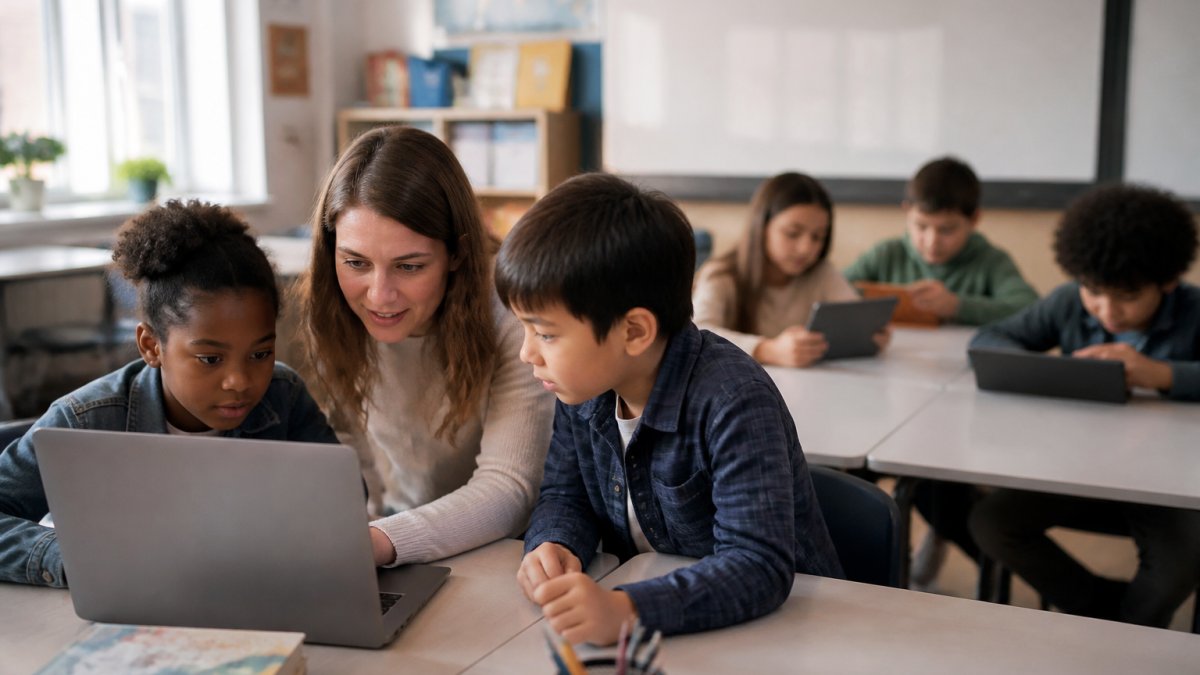
Before you buy anything, know what you're working with. Do you have enough devices? Is your internet reliable? Do you have IT support? These answers shape every decision that follows.
Create a simple inventory:
- How many tablets, laptops, or Chromebooks do you have?
- How many students does each device serve?
- Is your Wi-Fi strong enough for video streaming and interactive apps?
If you're short on devices, shared-device models work. Students take turns, or pairs share one laptop. If your internet is slow, choose tools that work offline or require less bandwidth.
Choose devices and platforms that fit your classroom
Tablets, laptops, and Chromebooks each have different strengths. Tablets are portable and intuitive for younger students. Laptops offer more power for complex projects. Chromebooks are affordable and easy to manage at scale.
Pick based on your learning goals and grade level:
- K-2: Tablets often work best. Touch interfaces are natural for young learners. Apps with visual feedback build engagement.
- 3-5: Mix of tablets and laptops. Students can handle more complex tools. Coding platforms and multimedia projects fit this range.
- 6-8: Laptops and Chromebooks. Students work on longer projects. Online collaboration tools and assessment platforms make sense here.
For educational apps and game-based learning, choose tools aligned to your standards. Look for platforms that track student progress and show you measurable growth in the skills you care about.
Plan for teacher training and ongoing support
This is where most implementations fail. Teachers need time to learn the tool, practice with it, and get support when things break.
Build this into your plan:
- Schedule 2-3 hours of professional development before launch
- Pair new users with a tech champion who knows the tool
- Create simple troubleshooting guides for common problems
Access classroom setup guides, curriculum, lesson plans, and assessment tools to support your implementation planning.
CodeAlgo Academy's professional development program for educators includes workshops, best practices, and quick-start training so teachers feel confident from day one.
Different devices serve different purposes depending on grade level and learning goals.
| Grade Level | Best Devices | Why |
|---|---|---|
| K-2 | Tablets | Touch interfaces are natural for young learners; apps with visual feedback build engagement |
| 3-5 | Mix of tablets and laptops | Students handle more complex tools; coding platforms and multimedia projects fit this range |
| 6-8 | Laptops and Chromebooks | Students work on longer projects; online collaboration tools and assessment platforms make sense |
Technology Integration Examples in Elementary Classrooms
Real examples show what technology integration in elementary classrooms looks like in practice. These aren't theoretical. They're approaches that work across different grade levels and learning goals.
Interactive whiteboards for whole-class instruction
Interactive whiteboards let you teach to the whole class while keeping students engaged. You can display content, annotate it in real time, and invite students to interact with it.
Use interactive whiteboards for:
- Visualizing math concepts (fractions, geometry, place value)
- Showing multimedia content (videos, virtual field trips, simulations)
- Collaborative problem-solving where students come up and write on the board
The key is interaction. Don't just project a worksheet. Use the board to show thinking, invite students to contribute, and make the lesson dynamic. Students stay more engaged when they're part of the action, not just watching.
Tablets and laptops for differentiated practice
When students work at their own pace on tablets or laptops, you can meet them where they are. Advanced students can move ahead. Struggling students get more practice and scaffolding. Everyone works at the right level.
Educational technology best practices for differentiation mean:
- Using adaptive platforms that adjust difficulty based on student performance
- Assigning different tasks to different students based on their readiness
- Letting fast finishers explore extension activities while others practice core skills
Platforms like CodeAlgo Academy use adaptive learning paths. If a student masters a concept quickly, the system moves them forward. If they struggle, it provides more support and practice.
Educational apps and game-based learning for engagement
Research shows that roughly 76% of students report greater engagement when technology is used in their learning. Game-based learning works because it combines challenge, immediate feedback, and a sense of progress.
Use game-based learning for:
- Building fluency in math facts or coding concepts
- Practicing problem-solving in a low-stakes environment
- Motivating students who struggle with traditional worksheets
The best educational apps aren't just games. They're games with a learning purpose. They track progress, provide feedback, and build real skills. When students see their improvement, they stay motivated.
Selecting Digital Tools for Teachers That Support Your Goals
Choosing the right tools is about matching features to your actual needs, not picking the most popular option.
Assessment and data tracking platforms
You need to know whether your technology is actually helping students learn. Assessment platforms show you real data on student progress.
Look for tools that:
- Give you quick snapshots of whole-class understanding
- Track individual student progress over time
- Identify gaps and misconceptions early
When you have clear data, you can adjust your teaching. If 60% of students miss the same problem, you know you need to reteach that concept. If one student is stuck while others move ahead, you can provide targeted help.
Classroom organization and communication tools
Digital tools for teachers also include the basics: calendars, assignment trackers, and communication platforms. These save time and keep everyone on the same page.
Use these to:
- Post assignments and due dates so students and families know what's expected
- Send quick updates to families about what students are learning
- Organize materials so you can find lesson plans and resources easily
Good classroom organization tools are simple. They don't add extra work. They reduce it by keeping everything in one place.
Educational Technology Best Practices for K-8 Learning
Technology works best when it follows clear principles. These practices apply across all grade levels and all tools.
Ensure accessibility and differentiation for all learners
Not all students learn the same way. Some need text read aloud. Some need larger fonts. Some need movement breaks. Technology can support all of these.
When you choose digital tools, check for:
- Text-to-speech and audio options
- Adjustable font sizes and colors
- Keyboard navigation (not just mouse/touch)
Differentiation through technology means every student can access the same learning goal at their own level. Advanced students can dig deeper. Struggling students get more support. Students with disabilities get the accommodations they need.
Teach digital citizenship and online safety
Students need to learn how to behave online, protect their privacy, and recognize risks. This isn't optional. It's as important as teaching them to cross the street safely.
Teach students to:
- Keep passwords private and create strong ones
- Recognize when someone online is trustworthy
- Understand that what they post stays forever
Start these lessons early. Kindergarteners can learn about kind online behavior. By middle school, students should understand digital footprints and privacy settings. Make it a regular part of your curriculum, not a one-time lesson.
Monitor screen time and maintain healthy engagement
Technology is a tool, not a replacement for movement, conversation, and hands-on learning. Balance matters.
Set boundaries:
- Limit screen time to purposeful learning, not filler
- Build in movement breaks between digital activities
- Mix digital and non-digital learning throughout the day
Productive screen time for K-8 students turns passive watching into active learning. When students are thinking, problem-solving, and creating, screen time is productive. When they're passively consuming, it's not. Know the difference and choose accordingly.
Step 3: Measure Learning Impact and Adjust Your Approach
Implementation doesn't end when you launch. You need to know what's working and what isn't.
Track these metrics:
- Student progress: Are students actually learning the skills you targeted? Use pre- and post-assessments to measure growth.
- Engagement: Are students motivated to use the tools? Do they stay on task?
- Teacher confidence: Do teachers feel comfortable using the technology? Do they need more support?
After 4-6 weeks, review your data. If students are making progress and teachers feel supported, keep going. If engagement is low or some students are struggling, adjust. Maybe the tool isn't the right fit. Maybe teachers need more training. Maybe you're trying to do too much at once.
Continuous improvement is the goal. Technology implementation isn't a one-time project. It's an ongoing process of learning what works in your specific classroom with your specific students.
Getting Started with Your Technology Integration Journey
How to implement technology in K-8 classrooms is a journey, not a destination. Start with clear learning goals, build a solid implementation plan, choose tools that fit your needs, and measure what matters.
The hardest part isn't picking the right tool. It's building teacher confidence and giving students time to adjust.
CodeAlgo Academy helps teachers at every step of this journey. Students build critical thinking and problem-solving skills through game-based learning that feels like play but teaches real concepts. Explore CodeAlgo Academy's professional development program for educators to see how we support classroom implementation. Or discover how teacher coding support prepares students for high-demand careers.
The best technology is the one your teachers will actually use and your students will actually learn from. Start there, measure progress, and adjust as you go.
Frequently Asked Questions
How do I implement technology in K-8 classrooms if I've never coded before?
You don't need coding experience to implement technology in K-8 classrooms. Start by choosing platforms designed for teachers without technical backgrounds, many modern educational tools have intuitive interfaces and built-in lesson plans. Focus on your learning objectives first, then select tools that match those goals. Platforms like CodeAlgo Academy provide game-based learning with no coding required for teachers, and include professional development resources. Most vendors offer training and support to help you get started confidently.
What should a classroom technology implementation plan include?
A solid classroom technology implementation plan covers four areas: clear learning objectives tied to your curriculum, an inventory of available devices and infrastructure, a timeline for rolling out tools with teacher training, and a method to measure impact. Include equity considerations, ensure all students have device access and connectivity. Plan for ongoing support so teachers can troubleshoot issues. Finally, establish how you'll assess whether technology is actually improving student learning outcomes, not just adding screen time.
How can I tell if classroom technology is actually improving student learning?
Measure learning impact by tracking three indicators: student assessment scores before and after technology use, engagement levels during lessons, and feedback from teachers and students. Use built-in analytics from your educational software to see which activities drive the most learning gains. Compare results across different student groups to identify whether technology is helping all learners equally or if some need different support. Document case studies from your own classrooms to build evidence for your administration and school board.
What digital tools do teachers need to manage a technology-integrated classroom effectively?
Essential digital tools for teachers include assessment platforms that track student progress in real time, online calendars and communication systems to share updates with students and families, and classroom management software to monitor student activity. You'll also want collaborative platforms for group projects and video conferencing for remote or hybrid learning. Choose tools that integrate with your existing systems to reduce complexity. Start with a few core tools rather than overwhelming yourself with many platforms.
Classroom technology implementation works when you focus on learning first, tools second. Define your goals clearly, plan your rollout thoughtfully, choose tools that fit your needs, and measure what matters. With the right approach and the right support, technology becomes a powerful way to help every student learn and grow.