 comparison
Buy Educational Coding Software License: 2026 Review
Table of Contents
- Comparing Coding Software Licenses for K-8 Schools
- Educational Coding Software Pricing and License Terms
- CodeAlgo Academy: Built for K-8 Classrooms
- Visual Studio and JetBrains Toolbox: Professional Tools, Not Classroom Ready
- Adobe Student and Teacher Edition: What It Is Not
- Coding Platforms for K-8 Schools: Matching License to Classroom
- School Coding Curriculum: What a License Should Deliver
- Coding Software With Teacher Dashboard: What to Check Before You Buy
- Frequently Asked Questions
Last Updated: October 21, 2026
Comparing Coding Software Licenses for K-8 Schools
Buying educational coding software is not like buying a laptop. You are not purchasing a thing; you are purchasing permission, and the terms of that permission vary wildly between vendors. A coding software license defines who can log in, on how many devices, for how long, and what happens when the school year ends. Get those terms wrong and a district can end up paying twice for the same seats.
This guide from CodeAlgo Academy breaks down the license structures K-8 schools actually encounter, compares the real options on the market, and shows where classroom fit matters more than brand recognition. Below, we walk through the four license models that dominate school purchasing, the questions to ask before you sign, and the specific red flags that turn a cheap license into an expensive one.
The short version: most K-8 schools need a per-seat subscription with a teacher dashboard and no IT dependency. Professional developer tools are built for a different buyer entirely.
How We Evaluated Each Option
We scored each option against five criteria that decide whether a license works in a K-8 classroom: eligibility clarity, seat and device terms, classroom features, administrative burden, and total cost transparency. A tool that requires a server install or a computer science degree to administer loses points regardless of how good its code editor is.
We also weighed curriculum alignment. A license that gives students a blank editor and no standards-aligned path puts the lesson-planning burden on a teacher who may have no coding background. That is a real cost, even when the license itself is free.
| Criterion | What We Checked | Why It Matters |
|---|---|---|
| Eligibility | Who qualifies for the education rate | Wrong tier means full price |
| Seat and device terms | Named users vs. shared devices | Shared carts and labs need flexible terms |
| Classroom features | Teacher dashboard, progress tracking, curriculum | Saves planning time |
| Administration | Setup, rostering, IT involvement | Small schools have no IT staff |
| Cost transparency | Published terms, renewal rules | Budgets need predictable numbers |
Educational Coding Software Pricing and License Terms
Educational coding software pricing generally falls into four models: per-student subscription, per-teacher or site license, perpetual license, and free tier with paid upgrades. Each model shifts risk differently, and the cheapest headline number is rarely the cheapest total cost.
Per-student subscriptions are the most common for K-8 platforms. You pay for active seats, usually annually, and you can add or remove students at renewal.
Site licenses and district licenses flip that logic. A flat fee covers every student in a building or across a district, which rewards larger enrollments and simplifies budgeting. Smaller charter schools often find site pricing harder to justify because the flat fee assumes volume they do not have.
Perpetual licenses are rare in K-8 coding tools but common in professional software. You pay once and own the right to use that version indefinitely. The catch is that perpetual licenses usually exclude updates, so a school can end up running outdated curriculum within two years.
Subscription licenses dominate for a reason: they bundle updates, support, and hosting. The FTC guidance on negative option and subscription marketing is worth reading before signing any auto-renewing agreement, because renewal terms and cancellation windows are where schools get surprised.
CodeAlgo Academy: Built for K-8 Classrooms
CodeAlgo Academy is a K-8 learning platform that turns coding, math, and AI literacy into game-based lessons, and it is the option we recommend first for elementary and middle school buyers.
Teachers need no coding background to facilitate a lesson. The curriculum aligns to standards including CSTA and Common Core State Standards, so the license delivers a teachable sequence rather than a blank editor. Students work through adaptive learning paths on web, iOS, and Android, which matters for schools running shared tablet carts alongside desktop labs.

Progress tracking is built into the platform, so a teacher can see who is actually building skills versus who is clicking through. The platform reports 41,928+ coding problems solved across 10 states, which is a useful signal that the game-based format holds student attention beyond the first week.
Pricing is published on the CodeAlgo Academy website, and a free trial lets a school test classroom fit before committing budget. For a small charter school with roughly 200 students, that trial period is the cheapest due diligence available.
Visual Studio and JetBrains Toolbox: Professional Tools, Not Classroom Ready
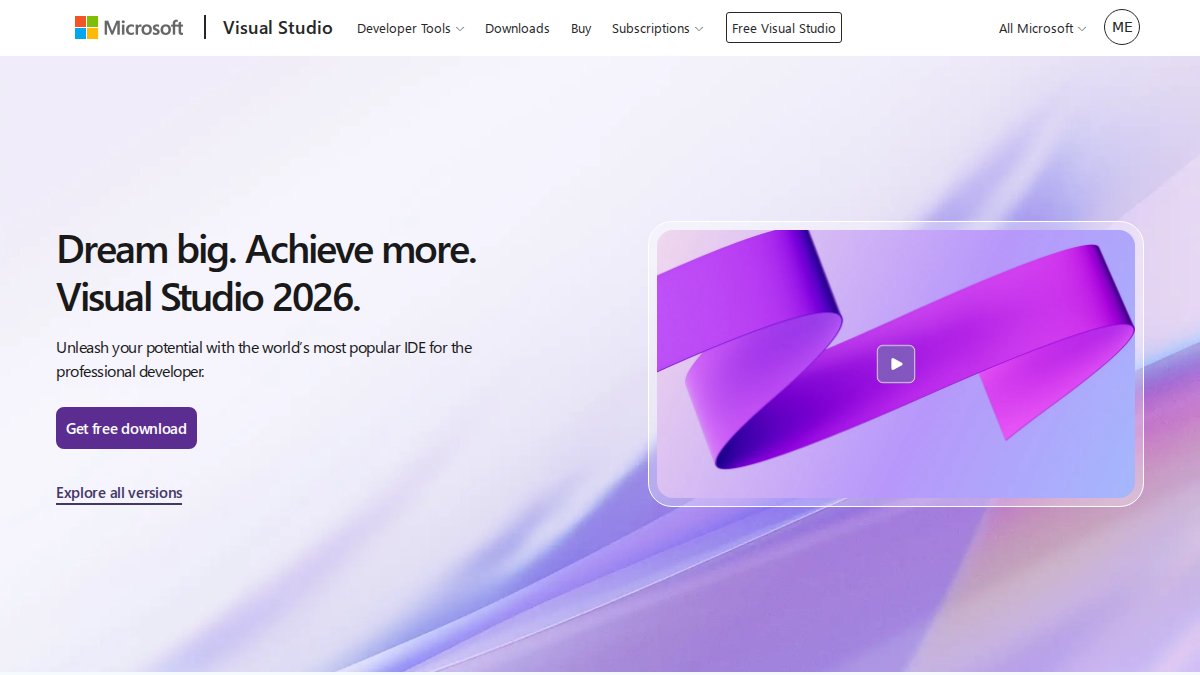
Visual Studio and JetBrains Toolbox are excellent developer environments, and neither is built for a K-8 classroom. That is not a criticism of the software; it is a statement about license fit. Both products assume a professional or advanced learner who already knows how to configure a development environment.
Visual Studio's published subscription runs $99.99 per user per month, with a renewal price of $66.59 per user per month according to the vendor's pricing page. Those are professional seats.
JetBrains sells monthly and yearly plans through its store, with yearly subscriptions including a perpetual fallback license. That fallback is genuinely useful for institutions that want long-term access. But the store materials highlight professional Java and Kotlin development, and they do not confirm education-specific classroom licensing or pricing.
The practical issue for schools is administration. An integrated development environment with no teacher dashboard means a teacher has to build the curriculum, track progress manually, and troubleshoot installations. For a computer science elective in a well-resourced high school, that may be fine. For a third-grade teacher with no coding background, it is a non-starter.
Adobe Student and Teacher Edition: What It Is Not
The Adobe 2026 Student & Teacher Edition is a one-user, three-year license for Windows and Mac, listed at $79.99. It is a legitimate education discount on creative software. It is not coding curriculum software, and buying it will not give a school a programming course.
This matters because the phrase "educational software license" pulls up a lot of products that discount for students without being built for teaching. Adobe's offering is a good example of a license that is education-eligible but category-mismatched. A school that buys it expecting coding instruction has bought the wrong product at a fair price.
The one-user limit is the second issue. A single license covers a single person, so a classroom of 25 students needs 25 licenses or a shared-device arrangement the terms may not permit. Always read the permitted-users clause before assuming a student discount scales to a class.
Coding Platforms for K-8 Schools: Matching License to Classroom
Coding platforms for K-8 schools should be chosen by classroom model first and price second. A school running shared iPad carts has different license needs than one with a dedicated computer lab, and a homeschool parent has different needs again. Match the license to the room before you compare numbers.
Shared-device classrooms need licenses that allow students to log in from any device without consuming a named seat permanently. Lab-based schools can often use concurrent or station-based licensing. One-to-one device programs are the simplest case: a named per-student seat maps cleanly to the hardware.
Homeschool and small-group buyers should look for family or small-cohort pricing rather than institutional contracts. Many platforms publish a consumer tier that covers a handful of children, and that tier is usually cheaper and simpler than a school license for the same product.
Device limits deserve a close read. A license that permits one device per student breaks a shared cart model. A license that permits unlimited devices on a named account works better for hybrid schedules. Ask the vendor to state the device rule in writing.
School Coding Curriculum: What a License Should Deliver
A school coding curriculum should arrive with the license, not as a separate purchase. When a platform sells you seats and then charges extra for lesson plans, assessments, or standards mapping, the effective price per classroom rises well above the headline seat cost.
Look for curriculum that names its standards explicitly. Alignment to CSTA and Common Core State Standards means a teacher can connect a coding lesson to a math objective without rewriting the plan. That alignment is the difference between a coding platform and a coding activity.
Assessments matter as much as lessons. A curriculum that produces measurable growth data gives administrators something concrete to show a board. Without it, a principal is defending a line item on enthusiasm alone.
Professional development belongs in this conversation too. A license that includes teacher training reduces the risk that a platform sits unused after the first month. If training costs extra, add it to the total before comparing vendors.
Coding Software With Teacher Dashboard: What to Check Before You Buy
A coding software with teacher dashboard earns its place by removing manual work from the teacher's week. The dashboard should show progress per student, flag who is stuck, and surface completed work without requiring the teacher to open each student's account.
Check four things before you buy. First, can the dashboard show progress against standards rather than just time-on-task? Second, can a teacher assign different paths to different students without rebuilding the class?
The last question is the one vendors skip. Teacher-level dashboards are common; administrator rollups are not. If a curriculum director needs to report to a board, confirm the reporting exists before signing.
The hardest part of buying educational coding software is not finding options. It is comparing licenses that were built for different buyers and pretending the prices are equivalent. A professional development seat and a K-8 classroom license are not the same product, and treating them as such is how budgets get wasted.
CodeAlgo Academy is built specifically for the K-8 buyer: no coding background required for teachers, curriculum aligned to CCSS and CSTA, game-based learning across web, iOS, and Android, and measurable math assessment growth.
Frequently Asked Questions
How much does an educational coding software license cost for a school?
Pricing depends on the number of student seats, license term, and support level you need. Most K-8 platforms price per student per year, with discounts for multi-year commitments. CodeAlgo Academy publishes current pricing on its website and offers a free trial so you can test the platform before committing budget. Always request a written quote that includes renewal terms and any setup fees so your principal sees the full picture.
Do coding software licenses include both teacher and student accounts?
Reputable K-8 platforms include teacher accounts with student seats in a single license. The teacher account should give you class rosters, progress tracking, and assignment controls through a teacher dashboard. Confirm the ratio of teacher to student seats in writing, and check whether additional teacher accounts cost extra. CodeAlgo Academy includes classroom tools and adaptive learning paths so teachers can facilitate without a coding background.
Can schools get free coding software licenses?
Free tiers exist, but they usually limit student seats, lock curriculum levels, or remove teacher reporting. For a full classroom rollout, most schools need a paid license. Some platforms offer free trials, which let you run a pilot unit before purchase. Use the trial to check curriculum alignment, device compatibility, and how easily your IT team can deploy accounts across classrooms.
What should schools compare when buying a coding platform for K-8 students?
Compare curriculum alignment to standards such as CSTA and Common Core, teacher dashboard features, device support, and total cost per student. Ask about license terms: perpetual versus subscription, device limits, and renewal pricing. Check data privacy and support commitments too. A short pilot with one class gives you real evidence of student engagement and math growth before you sign a district-wide agreement.