 how-to
7 Steps to Teach Generative AI in Elementary School
Last Updated: October 30, 2026
Quick Summary
To teach generative ai in elementary school, start with a kid-friendly definition: AI is a helper that guesses what comes next, and it does not think or know facts like a person. Then split lessons by grade band, using pattern recognition for K-2 and prompting and evaluation for grades 3-5, and assess the thinking rather than the output.
- Generative AI is a computer program that creates new text, images, or sounds based on patterns it learned.
- K-2 lessons run 20-25 minutes and focus on sorting, predicting, and spotting the robot.
- Grades 3-5 lessons run 35-40 minutes and use two printed AI answers for comparison.
- Students should never type their full name, address, or a friend's details into a tool.
- The three-question check asks where a claim came from, whether it matches what you know, and whether you can find it elsewhere.
Table of Contents
- Start With What Generative AI Is (and Isn't) for Young Learners
- Generative AI Lesson Plans for Elementary Students: A Grade-Band Framework
- AI Activities for Elementary Students That Work Without a Screen
- Teaching AI Ethics to Kids Through Everyday Classroom Moments
- Choosing Age-Appropriate AI Tools for Teachers
- How to Teach Fact-Checking and Evaluation Without Lecturing
- Build Your First AI Literacy Unit With CodeAlgo Academy
- Frequently Asked Questions
Start With What Generative AI Is (and Isn't) for Young Learners
Most elementary teachers are curious but unsure where to begin when they teach generative ai.
That last point matters more than any tool you will ever use. When you teach generative ai in elementary school, you are teaching thinking habits, not software.
The Institute of Education Sciences guidance on AI in K-12 education makes a useful distinction. Teacher-mediated and AI-augmented tutoring show promise.
A Kid-Friendly Definition That Holds Up
Try this with your class: "AI is a helper that guesses what comes next. It has read a lot, but it has never been to school, never met your family, and never checked whether it is right."
Students often grasp this quickly. The guessing frame explains the technology and plants the seed for fact-checking later.
Three Misconceptions to Clear Up First
- "AI knows everything." It predicts likely words. Likely is not the same as true.
- "AI is a search engine." A search engine points to sources. A generator writes new sentences that may have no source at all.
- "Only older kids can handle this." Young children can sort, spot patterns, and question answers. That is AI literacy in its simplest form.
Generative AI Lesson Plans for Elementary Students: A Grade-Band Framework
A concrete split can help: one approach for K-2, another for grades 3-5.
| Grade Band | Core Skill | Lesson Focus | Time | Materials |
|---|---|---|---|---|
| K-2 | Pattern recognition | Sort, predict, spot the robot | 20-25 min | Picture cards, chart paper |
| Grades 3-5 | Evaluation | Prompt, compare, explain | 35-40 min | Two printed AI answers, highlighters |
| Both | Responsible use | Name what AI cannot do | 10 min | Class anchor chart |
K-2: Pattern, Sort, and Spot the Robot
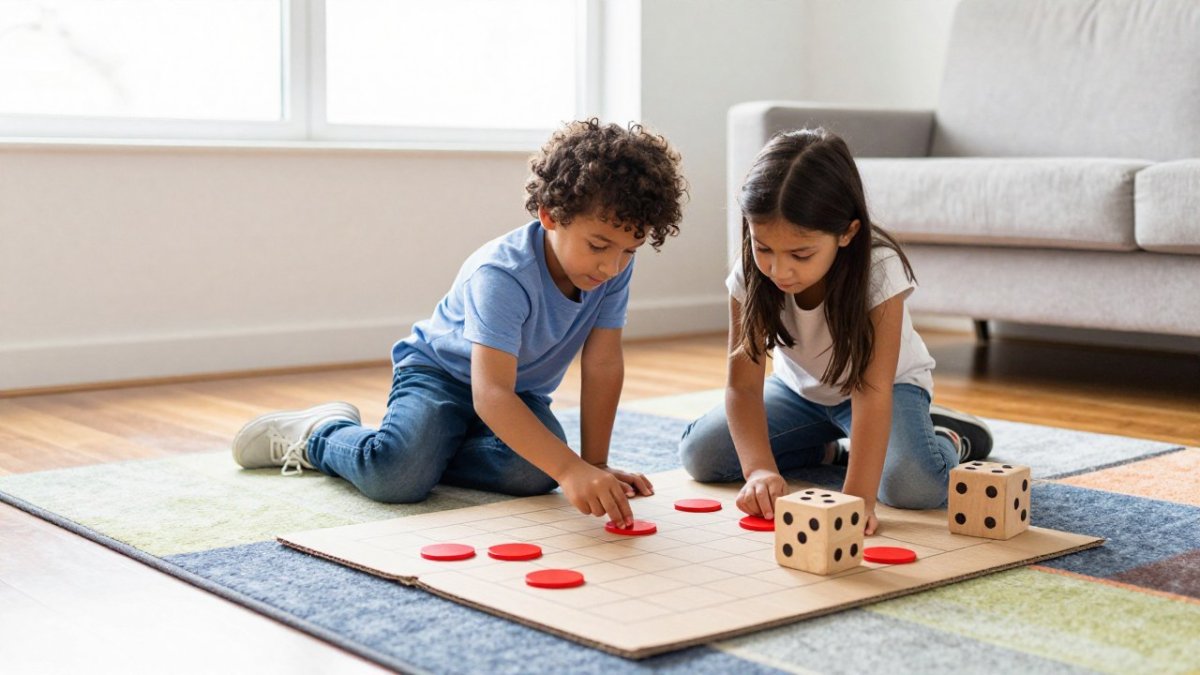
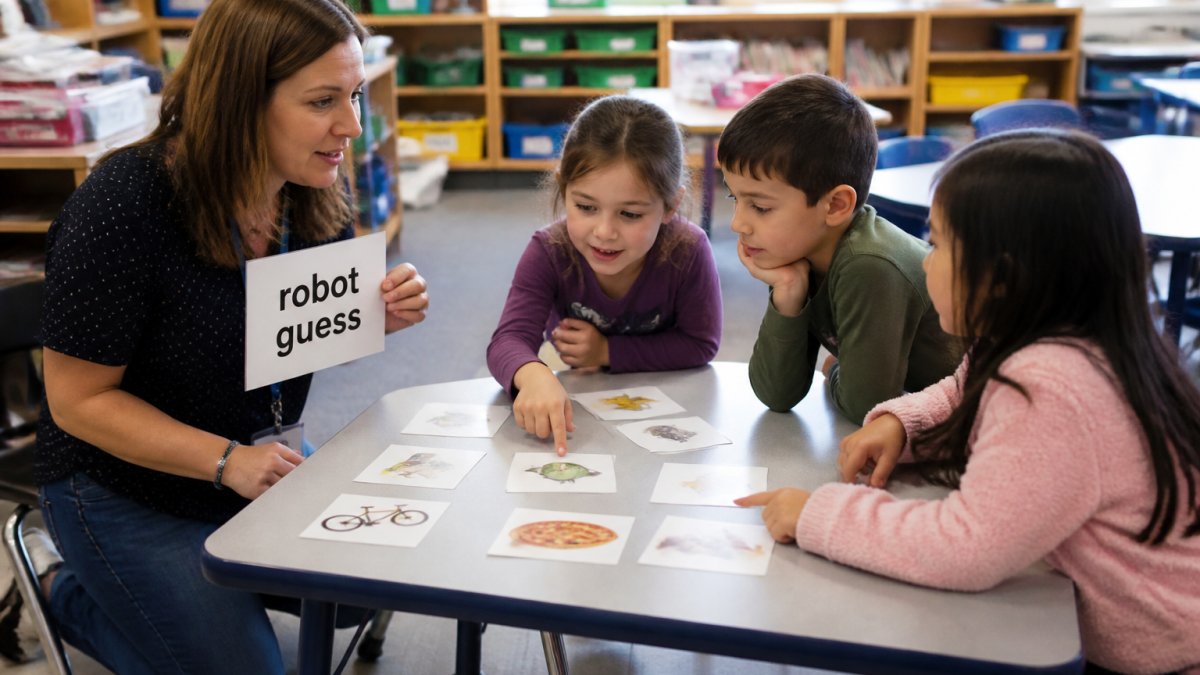
Start with sorting exercises, not screens. Give pairs a stack of picture cards and ask them to group by a rule they invent.
That "what comes next" question is the whole lesson, exactly what a generator does, minus the math.
Finish with a five-minute "spot the robot" chat. Show two drawings, one made by a person and one by a machine.
Grades 3-5: Prompt, Compare, and Explain
Older students can handle the real work. Give them two printed AI-generated responses to the same question, side by side on paper. Ask three questions:
- Which answer is more useful, and why?
- What does one answer claim that the other does not?
- What would you need to check before trusting either one?
This is prompting and evaluation practice without a single login: effective prompts ask for specifics, and AI-generated responses vary in quality.
AI Activities for Elementary Students That Work Without a Screen
Zero-tech activities are not a compromise. If you want more hands-on, unplugged strategies, this guide shows how to teach STEM without coding. They are often the better lesson, especially for younger learners and classrooms with limited devices.
Five that work in almost any room:
- Human generator: One student is the "AI" and answers a question using only the three words the class feeds them.
- Sort the sensible: Read four statements aloud. Students hold up thumbs for "probably true" and fists for "needs checking."
- Pattern detectives: Show a repeating shape pattern and ask students to predict the next three shapes.
Teaching AI Ethics to Kids Through Everyday Classroom Moments
Ethics lessons fail as lectures. They work when they ride along with something students already did, and when the adults at home say the same things you say in class.
Three Moments to Watch For
- The copy moment. A student submits machine-written work as their own. Talk about why telling the truth about your tools matters.
- The unfair answer moment. A generated example skews toward one group or one viewpoint. Ask who was left out.
- The confident wrong moment. The tool states something false with total confidence. Ask why certainty is not proof.
Keep the language concrete. "Was that fair?" lands better with a nine-year-old than "let's discuss bias in training data."
Privacy, Consent, and the Questions Caregivers Will Ask
Digital citizenship fits here too: privacy, consent, and safety belong in the same conversation. Students should know they never type their full name, address, or a friend's details into a tool. Check your district policy before you plan the lesson.
A common pattern is that the first parent question is not about learning, it is about data. Prepare a short, plain-language answer to the four questions caregivers ask most:
- What does the tool see? Explain whether student accounts exist, whether chat history is stored, and whether the teacher can turn data collection off.
- Who approved it? Name the district or school review process, not the brand. "Our school reviewed this tool and signed an agreement" is more reassuring than a product pitch.
- What is my child actually doing? Describe the lesson, not the software. "They compare two answers and explain which one they trust" is concrete; "they use AI" is not.
- What should we do at home? Give one or two consistent rules rather than a lecture. "Ask before you use an AI helper for homework, and tell us when you do" is a rule a family can actually follow.
A Family Communication Sequence That Works
A staged approach keeps home and school aligned without overwhelming anyone:
- Before the unit: Send a one-page note describing the thinking skills students will practice and the privacy rules in place. Invite questions to a single staff contact.
- During the unit: Share one short example of student reasoning, an anonymized verification log or a revision explanation, so caregivers see the learning, not just the topic.
- After the unit: Offer a brief home conversation starter: "Ask your child to explain how they decide whether an AI answer is trustworthy." This turns the unit into a family habit rather than a school-only event.
When Home Expectations Diverge
Some families will embrace AI helpers; others will want none at home. Both are workable if the classroom rule is consistent: students must disclose when a tool was used and must be able to explain their reasoning.
For schools still deciding how to communicate technology rollouts to families, our guide to implementing technology in K-8 classrooms covers the practical steps, including consent forms and staff talking points.
Choosing Age-Appropriate AI Tools for Teachers
The best tool for your classroom is the one your students can use safely, and the one you can run without a technology background. For a side-by-side look, see this comparison of AI literacy tools for elementary students with features, pricing, and classroom uses.
What to Check Before You Let Students Log In
Run this checklist before any student account goes live:
- Does the tool require parental consent or a signed school agreement?
- Can you turn off data collection and chat history?
- Are student accounts created by the teacher, not by the student?
That last item is not small.
How to Teach Fact-Checking and Evaluation Without Lecturing
Fact-checking sticks when it becomes a habit students run on their own, not a rule you enforce. Give them a short, repeatable routine, then assess the routine, not just the final answer. That distinction is where most AI literacy units quietly fall apart: teachers grade the product and never see the thinking.
The Three-Question Check (and How to Make It Visible)
We use a three-question check that fits on an index card:
- Where did this come from? Can I name a source, or did the tool just say it?
- Does it match what I already know? If it surprises me, that is a signal to look closer.
- Can I find it somewhere else? One source is a claim. Two independent sources start to look like a fact.
Students should also compare answers. Give the same question to two tools, or run it twice, and let students spot the differences, the fastest way to show that a generator is guessing.
Assessing the Thinking, Not the Output
In many elementary classrooms the AI-assisted product looks polished while the reasoning behind it is invisible. Build evidence collection into the routine so you can see both.
- Verification log. Students keep a simple two-column sheet: "What the tool said" and "How I checked it." For K-2, this can be a drawing or a thumbs-up/thumbs-down stamp next to a teacher-read statement. For grades 3-5, it is one sentence per claim.
- Revision trail. Ask students to submit the original AI-generated response alongside their rewrite, with one sentence explaining what they changed and why. The explanation is the assessment target; the rewrite is the artifact.
- Reasoning interview. A 60-second conference question, "How did you decide which answer to trust?", gives you more evidence than a worksheet. Three or four quick conferences per lesson can be enough to spot who is guessing and who is checking.
A Simple Rubric You Can Adapt
Use four criteria, each scored on a three-point scale (Beginning, Developing, Secure):
| Criterion | What to look for |
|---|---|
| Source awareness | Names where a claim came from, or states that no source was given |
| Verification behavior | Attempts at least one independent check before accepting a claim |
| Revision reasoning | Explains what changed between the AI draft and the student's version |
| Uncertainty language | Uses words like "probably," "I need to check," or "unverified" appropriately |
This rubric works with or without student-facing accounts. If students never log in, run the same assessment on printed AI responses and handwritten verification logs. The evidence of learning is the reasoning trail, not the tool.
What to Do When Students Skip the Check
The most common failure mode is not a wrong answer, it is a student who accepts the first output because it sounds confident. Resist the urge to correct the fact. Instead ask: "What would you need to see to believe this?" That redirects the student to the verification routine and keeps the lesson on thinking habits rather than trivia.
Build Your First AI Literacy Unit With CodeAlgo Academy
A full unit beats a one-off lesson. You can also browse STEM resources for your classroom, including curriculum, lesson plans, and assessment tools.
CodeAlgo Academy is a K-8 platform that turns coding, math, and AI literacy into game-based learning with adaptive learning paths. Its curriculum is aligned to standards including CSTA and Common Core State Standards, and teachers do not need a coding background to facilitate it.
Teaching generative AI in elementary school is not about mastering the technology. It is about building a classroom where students ask better questions, check what they are told, and explain their reasoning out loud.
Frequently Asked Questions
How do you explain generative AI to elementary students?
Use a comparison they already know. Tell them generative AI is like a very fast pattern-spotter that has read millions of examples and guesses what comes next. It does not think or feel, and it can be confidently wrong. Keep the explanation to two or three sentences, then move straight into a hands-on activity so the idea sticks. Pair any explanation with teacher-guided practice rather than independent screen time.
At what age should children start learning about generative AI?
Most children can handle a basic AI literacy conversation by age five or six if it stays concrete. For K-2, focus on pattern recognition and sorting exercises: what a machine can guess and what it cannot. Grades 3-5 can move into prompting, comparing AI-generated responses, and explaining their reasoning. The key is matching the depth to the grade band, not delaying the topic. Age-appropriate instruction means shorter explanations and more hands-on learning at every level.
What are the risks of using generative AI in elementary classrooms?
The main risks are inaccurate outputs, bias in AI-generated content, privacy concerns, and students outsourcing their own thinking. Teacher modeling and guided assignments matter more than open access. Set clear rules about what students can share, always fact-check outputs together, and keep the thinking visible through reflection and revision. School policy and consent should be settled before any student logs in.
How can teachers use AI without replacing students' own thinking?
Keep the student as the decision-maker. Use AI for brainstorming, drafting, or generating options, then have students evaluate outputs, compare answers, and explain their reasoning. A simple routine works well: the AI produces, the student judges. The strongest gains tend to come from teacher-mediated use rather than handing the tool to children and stepping back.